JetOctopus can crawl staging websites and websites closed from scanning by search engines. You can also run a crawl of a website that needs authentication (password/login). To crawl staging websites, just set up special crawl settings.
When you actually need to crawl a staging website
- You may need to crawl a staging domain before launching a new website. You can check whether the website is ready to be crawled by search engines and whether there are any critical errors.
- If you are migrated to another domain/new technology or plan to implement changes to the main website. The staging site should be inaccessible to search engines so that it does not appear in the SERP and there is no cannibalization with the main site.
- To crawl the test domain before important releases. If you are planning a large-scale release that could affect the SEO, we recommend running a test domain crawl before releasing it to production.
How to crawl a staging website blocked by robots.txt
If a staging site is blocked by a robots.txt file, you need to add a custom robots.txt before starting a new crawl.
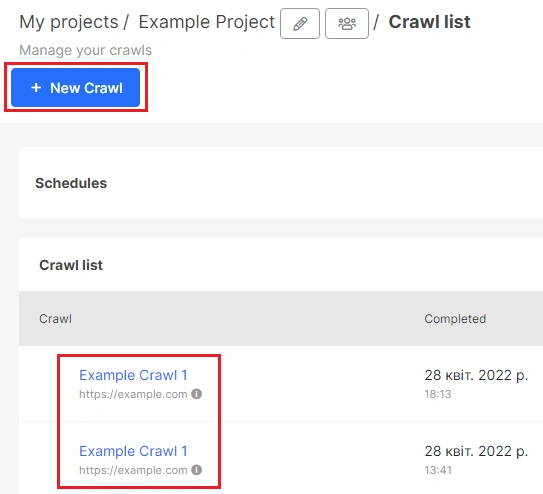
Click “New Crawl” to start setup.
More information: How to configure a crawl of your website.
Then go to “Advanced settings” and select “Custom robots.txt”. Enter here the robot.txt file that should be on a production website.
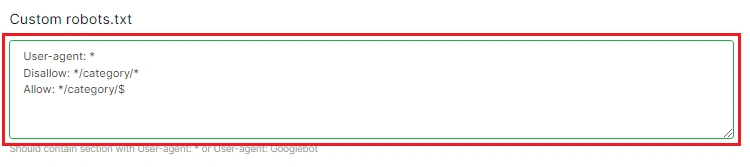
Custom robots.txt file must contain at least one section with user-agent: *.
To crawl all URLs on your staging website add such directives:
User-agent: *
Allow: /
How to crawl a website with an authentication
Authentication is one of the most secure ways to close a website from crawling by search engines and from random visitors.
To scan an authenticated website, go to “Advanced settings”. Under HTTP Auth, enter the User (login) and password. It is completely safe, your data will not be passed on to anyone and will not be saved for future crawls.
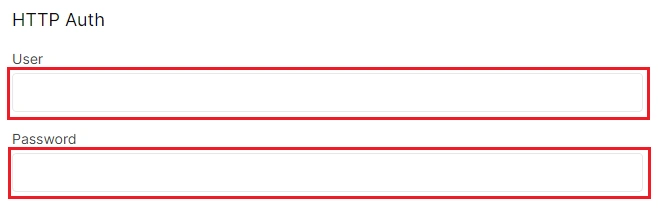
JetOctopus automatically determines the fields where the crawler needs to enter data for authentication, so you do not need to make additional settings.
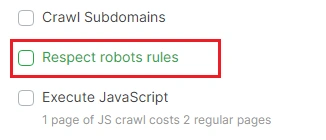
Pay attention! If a staging website is additionally blocked by robots.txt, deactivate the “Respect robots rules” checkbox in “Basic settings” or add a custom robots.txt file (see above).
How to crawl a website with access by Cookies
You can crawl the staging or production website, which shows updated data only with special cookies. To do this, go to “Advanced settings” and add a list of cookies for every request. Enter one cookie per line without additional characters between lines.
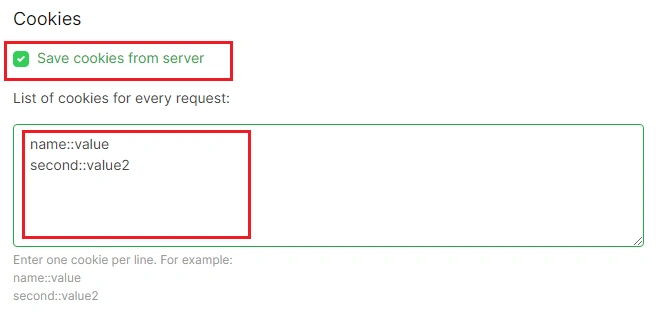
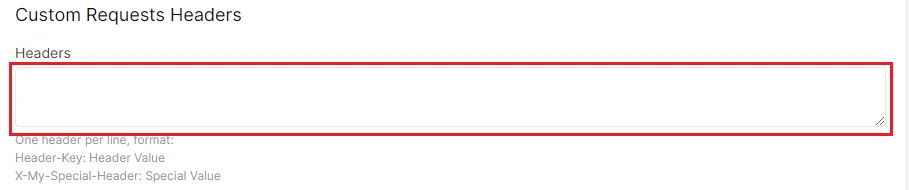
Also, you can add Custom Requests Headers in the field below.
What to pay attention to when crawling a staging website
Staging sites are easier to overload. Therefore it is necessary to crawl them carefully.
Be sure to set the minimum number of threads in the “Basic settings”.

You can also set a timeout between requests in “Advanced settings”.

If your staging site is blocked by a robots.txt file, disable the “Respect robots rules” checkbox or add a custom robots.txt file.
Select “Follow links with rel=”nofollow” and “Follow links on pages with <meta name=”robots” content=”noindex,follow”/>”, if your staging site is closed from indexing by meta-robots.