
Slow and heavy pages make a negative effect on how users and search bots perceive your website. So having this type of pages may cost you both ranking and conversions.
Read below a quick instruction on how to detect heavy pages and slow pages in several clicks and just a few seconds.
At the bottom of the article, you will also find meanings for filters you can use to cut your website into pieces.
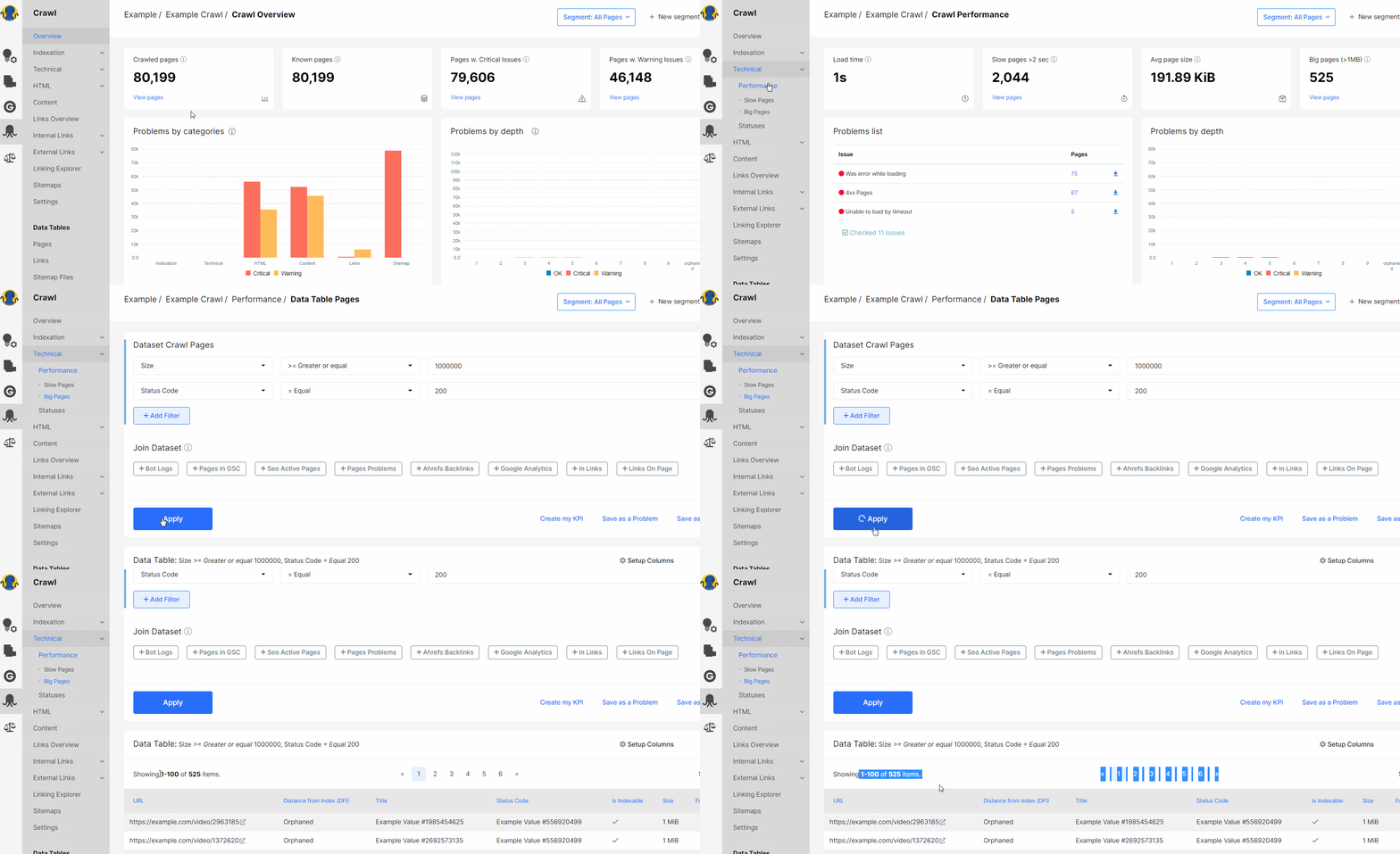
How to find pages that weigh more than 1MB
1. Open Crawl – Technical – Performance – Big Pages
2. You get to Data Table to the list of pages that weight (Size) more than 1 MB (megabytes are converted to bytes).
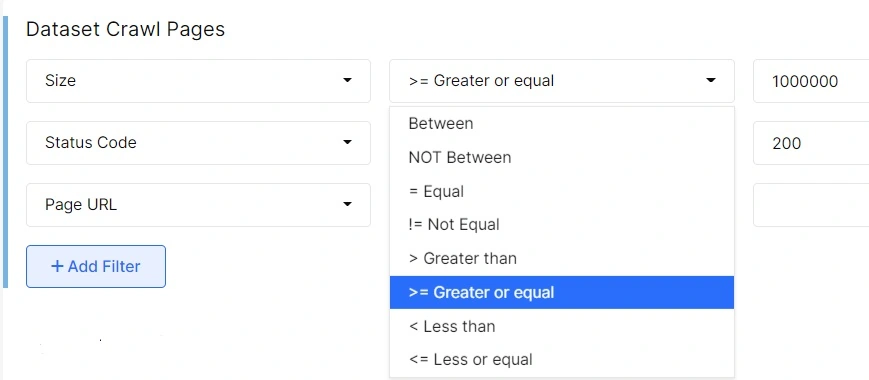
3. In Filters, you can set range in bytes:
How to find pages that load longer than 2 seconds
1. Open Crawl – Technical – Performance – Slow pages.
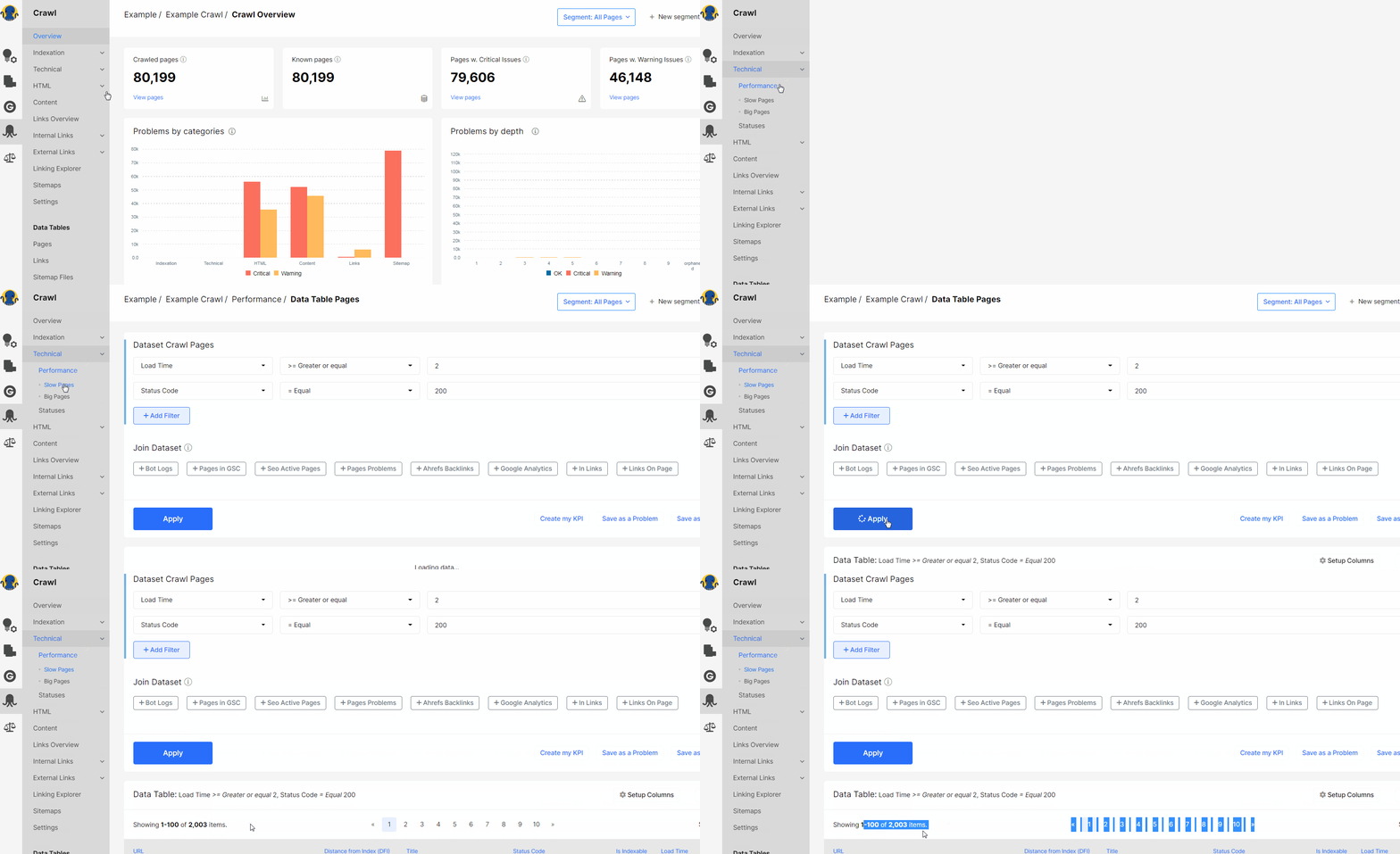
You get the list of pages that load 2 seconds or more.
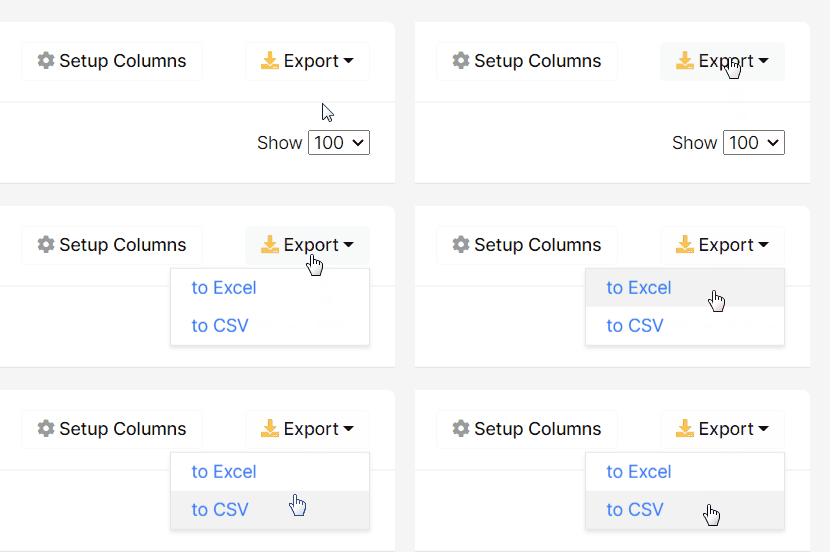
You can download data in Excel (up to 50K pages) or CVS formats.
Appendix. What filters mean:
Load Time – Between – all pages that load from… to… seconds;
Size – Between – show all pages with the specified range of bytes;
NOT Between – DON’T show pages with the specified range of bytes/seconds;
Equal – show all pages with the specified number of bytes/seconds;
Not Equal – DON’T show pages with the specified number of bytes/seconds;
Greater than – pages that weight/load more than the specified number of bytes/seconds;
Greater or equal – pages that weight/load more than the specified number of bytes/seconds or the exact number of bytes/seconds;
Less than – pages that weight/load less than the specified number of bytes/seconds;
Less or equal -pages that weight/load less than the specified number of bytes or the exact number of bytes/seconds.
If you have any problems with the crawl,
feel free to send a message to [email protected].